How To Speed Up Your Computer: 5 Tips To Make Windows 7 Faster (Most Other Versions Too)

how-to-make-windows-7-computer-faster

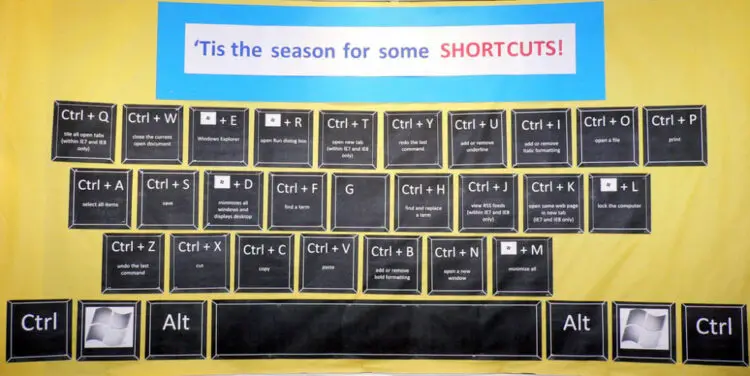
Computers can slow down for a variety of reasons, regardless of how up-to-date the hardware is. I have a Windows 7 laptop, and I remember when I first got it how super-fast it was. Now, a few years later, it's not nearly as fast as it once was. The same is true with my husband's Windows 7 computer. Fortunately, Windows 7 provides several tools that can help speed up your computer and make it run more efficiently. So if your computer is starting to slow down, try these 5 tips to speed … [Read more...]

Should You Leave Your Laptop Plugged In?

laptop plugged in

Jim and I have been wondering about this for awhile now. Actually, we have wondered how these 3 things would effect the life of our laptop batteries: 1. We will often work from our laptops for hours at a time (many, many hours!), with the cord plugged into the wall the whole time. 2. Sometimes, Jim will leave his laptop "on" and plugged in -- even when he's not using it -- for days. 3. Sometimes, I will leave my laptop in "hibernate" (lid closed) and plugged in -- for hours … [Read more...]

Firefox Tip: How To Remove Typos And Other Text From The ‘Saved Forms’ Boxes

It is definitely a time-saver to check the "Remember what I enter in forms and the search bar" in Firefox. (Under Tools - Options - Privacy) It's the same as "AutoComplete" in IE -- which stores previous entries and suggests matches for you. (Under Tools - Internet Options - Content) This amazing shortcut saves you boatloads of keystrokes, especially if you routinely complete the same stuff at your most often-visited websites. (Think: uploading photos, logging into websites, etc.) Today, I … [Read more...]

14.5 Things We’ve Learned About Blogs & Websites

On my way in to work yesterday morning, I jotted down the following list I titled "Things We've Learned About Doing Websites". (Like usual, it was bumper-to-bumper traffic. And you know me... I've always got a pen and a pad of paper on hand! So I put the time to good use.) I was thinking that some bloggers or other website owners might find some value in hearing from someone who's been there, tried that. We are by no means an expert on this topic, but we have definitely learned a lot in … [Read more...]

How To [Properly] Forward An E-mail Message

Since forwarded e-mails are behind many computer viruses and Internet SPAM, here's what you need to know about forwarding emails. In 4 easy steps, see how to forward an e-mail message the right way...   Step-by-Step How To Forward An Email … [Read more...]

The Truth About Forwarded E-mails, SPAM, Viruses & Internet Hoaxes

To anyone who's ever sent a many-times-forwarded email before: Please stop it! Or at least if you're going to continue to do it, please do it right (see below). Following are a few tips about forwarding e-mails that we can all use. For what it's worth, while I was researching for today's post, I actually learned a few things myself. So I can assure you, there's a little something in here for everyone.   … [Read more...]

Have You Watched TV On Your Computer Yet? Here’s How…

watch-tv-on-computer-by-Anthony-Quintano

Yep, you can watch streaming tv on your computer (...without an adapter or any other equipment!) The first time I watched TV on the computer was a few months ago when Google offered an episode of "Everybody Hates Chris" on its site for about a week. It was some sort of a beta test for their new online video services... but it certainly peaked my interest in watching TV shows online. It was so simple to watch from whatever computer I was at the time. And the video quality was quite … [Read more...]

Strange WiFi Hotspot Locations

Who knew?... Here are some of the more unusual places where you can hook up your computer -- wirelessly! on the Beach Campgrounds at the Car Wash Gas Stations on the golf course Hospitals at the Marina Parks in a Phonebooth Rest Areas RELATED: >> Franklin, Tennessee Leading The Way To Wireless Communities >> World's First Wi-Fi Digital Camera >> Best Hotels For Wireless Computer Access >> 12 Downloads To Make Your Wifi Life … [Read more...]

How To Subscribe To RSS Feeds Using A Newsfeed Reader

rss-button-by-TEIA-MG

Talk about a confusing topic!... To read RSS feeds, do you need a "news reader", an "aggregator" an "RSS reader" or a "newsfeed reader"? What exactly is an RSS reader, you ask? Here's my take on why you should subscribe to RSS feeds for all of your favorite websites in the first place, the easiest way to subscribe to RSS newsfeeds, and how to choose the best RSS feed reader for your needs. (Plus, the best FREE news readers, including bonus tips for using the Yahoo RSS reader as your … [Read more...]

How & Where To Access Wireless Internet Connections

It used to be, you couldn't connect to a wireless network providing access the Internet away from home UNLESS you were in an airport! These days, there are plenty of "hotspots" as they're called, allowing you to tap into the Net from virtually any street corner. While Starbucks may have made wireless networking the "in" thing to do, several other companies have jumped on board -- providing WiFi access to their visitors, customers, and clients. In my neighborhood, even McDonald's has jumped … [Read more...]